
Track every project hour
without the guesswork
See exactly where time goes across projects, clients and activities. Stop billing blind, stop chasing timesheets, and ship work on schedule.







Stop guessing. Start invoicing.
Most project time data is wrong by the time it reaches a client invoice. Here's what changes when your team uses Jibble.
Without project tracking
- Hours guessed at end-of-week
- Spreadsheets that nobody updates on time
- Projects silently slip past budget
- Disputes over what got done and when
With Jibble
- Every minute logged the moment it happens
- Real-time dashboards, no chasing
- Time allocated to activities and projects
- Verified, billable hours your clients accept
Everything a project time tracker should do.
Pick a workflow and see exactly how Jibble fits — from the first clock-in to the invoice that pays for it.
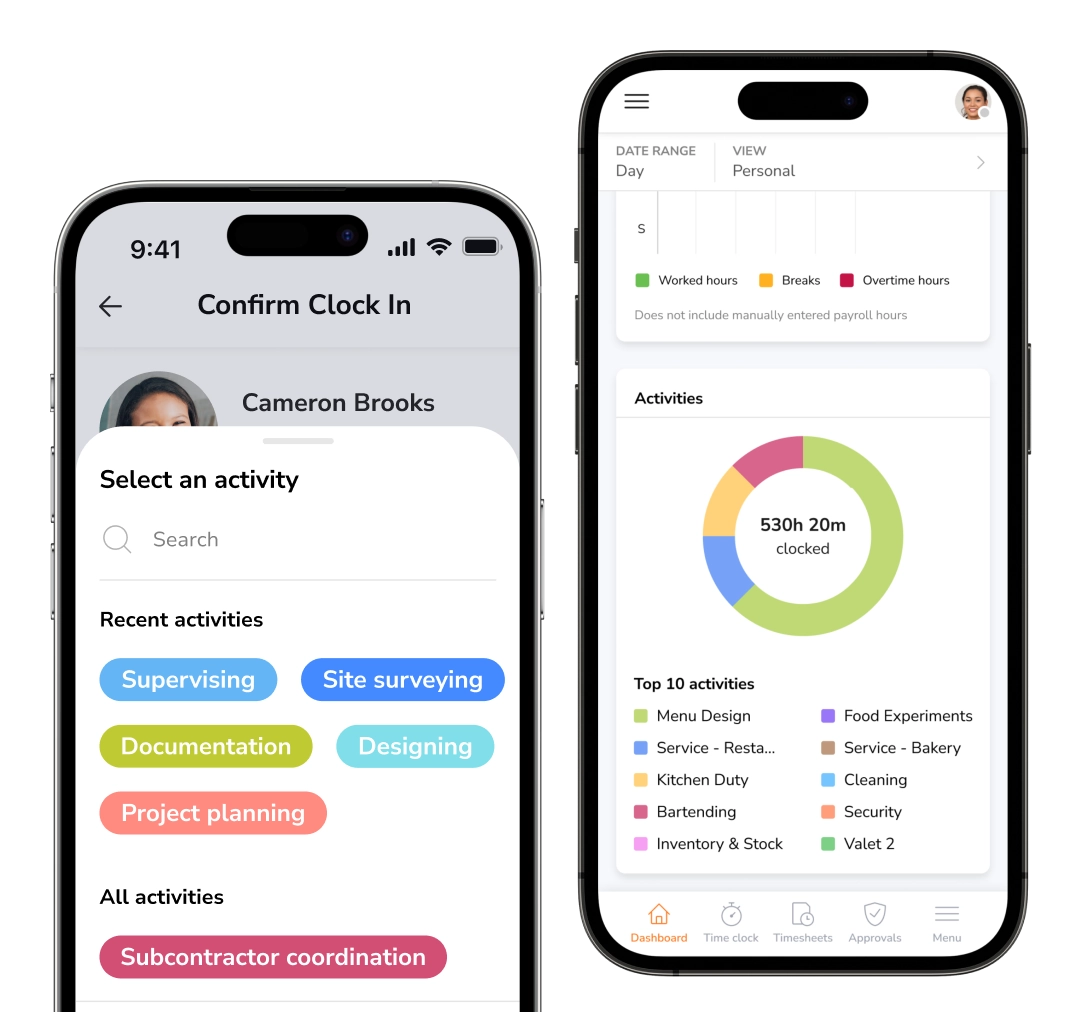
Capture hours by project, activity, or client
Map every minute to the work that matters. Set up clients, projects, and activities the way your team already thinks about them — then let Jibble keep the billable hours sorted.
- Unlimited projects, clients, and activities
- One-tap clock-in to any project or activity
- Switch tasks mid-day without losing time
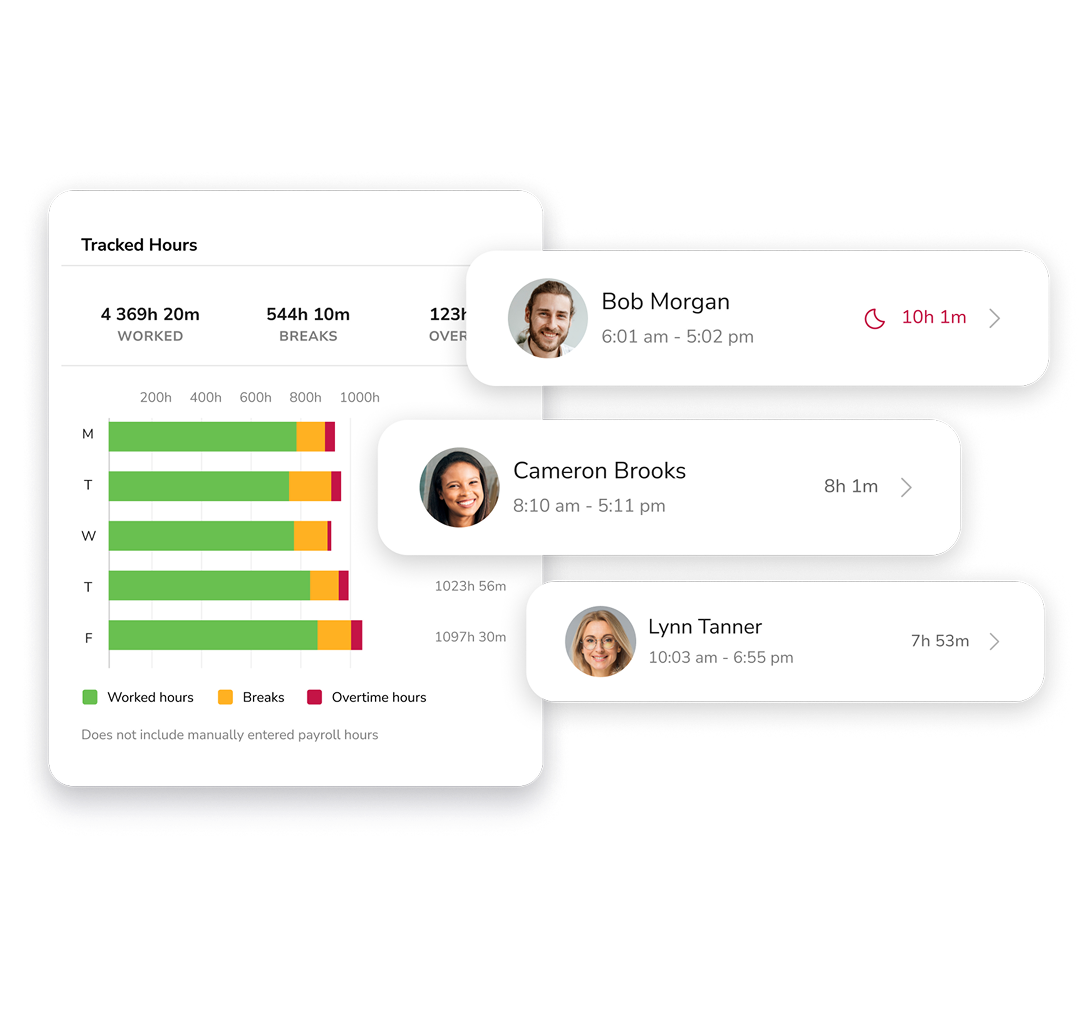
See who's working on what, instantly
No more "what's everyone up to?" pings. The live dashboard shows current activity, project, and location for the whole team in one screen.
- Live status for every team member
- Project profitability at a glance
- Catch overtime before it hits payroll
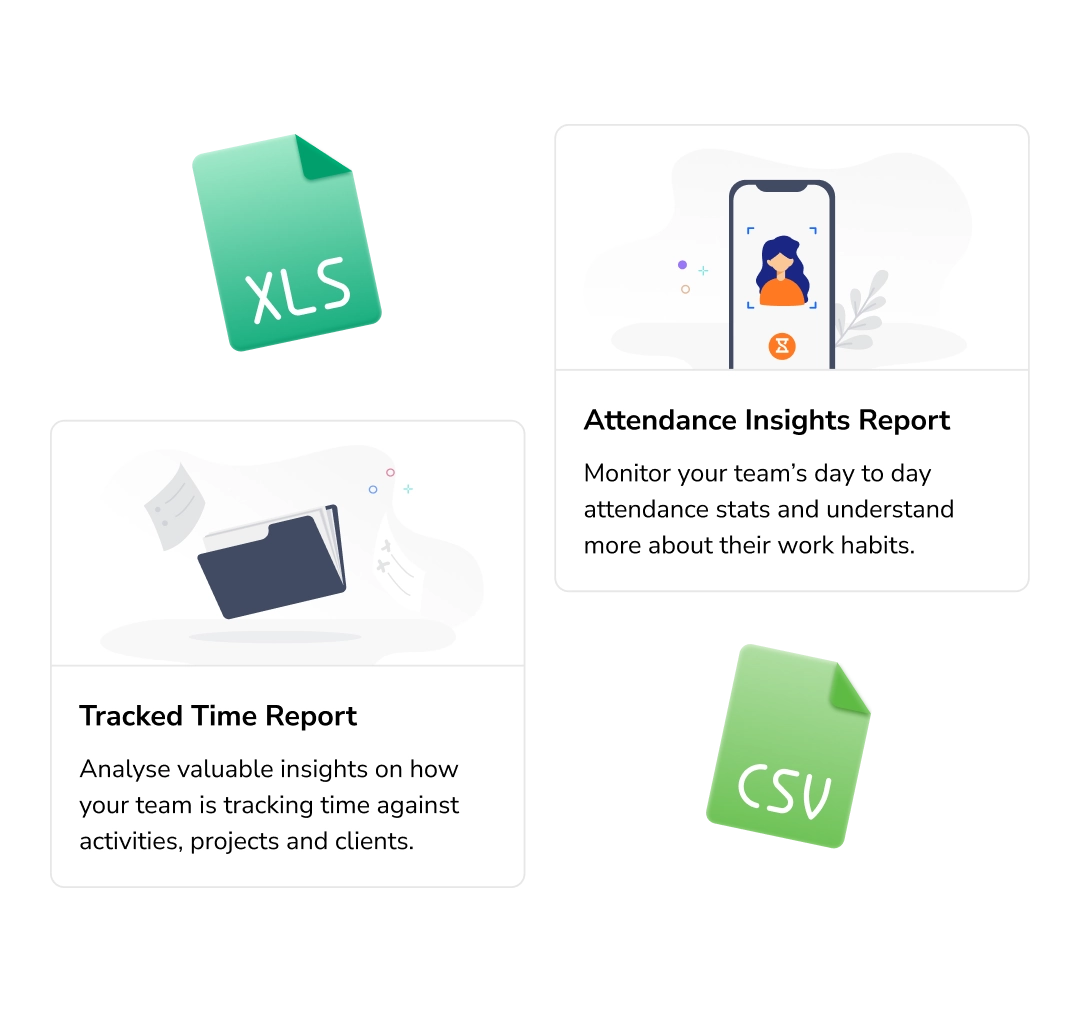
Reports your finance team will actually trust
Slice tracked hours by project, client, activity, or team member. Spot the projects eating your margin and the activities your team under-bills.
- Flexible grouping and subgroups for drill-down analysis
- Filter by project, client, member or date
- One-click export to Excel or CSV
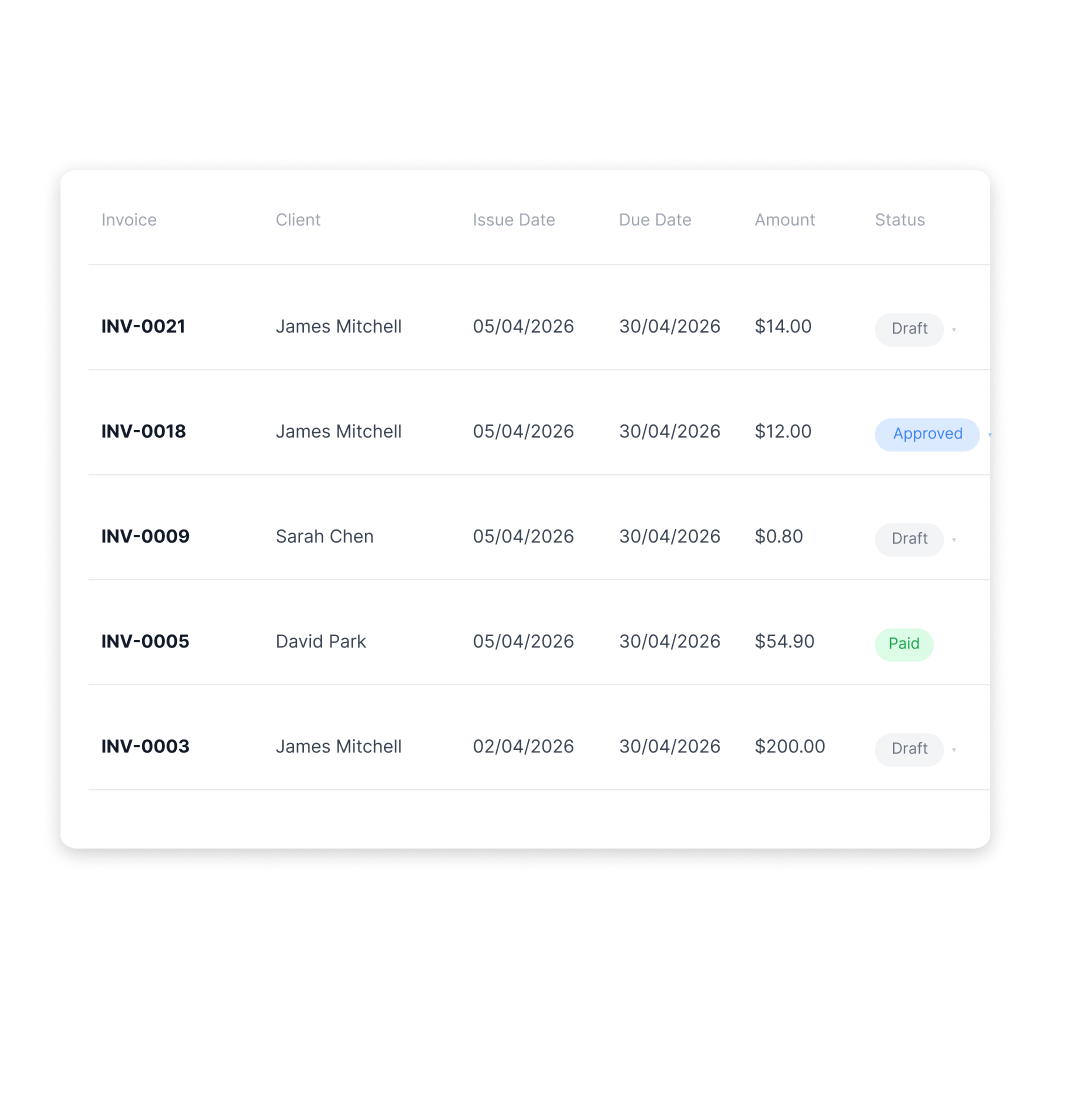
Turn project hours into client-ready invoices
Project hours flow seamlessly into branded client invoices in just a few clicks — with rates, taxes, discounts, and notes ready to add.
- Per-project or per-member rates
- Branded invoices with logo, tax & discounts
- Track invoice statuses and share them via secure links
Stop guessing. Start tracking every hour to the right client.
Everything else you'd need to get it done.
A complete project time tracker, not a stack of half-features bolted together.
Smart reminders
Push notifications and auto-clock outs that help prevent missed entries.
AutomationAutomatic timesheets
Tracked hours compile automatically into filterable timesheets.
Saves hours/weekOne-click exports
Export as XLS or CSV, or send straight to your payroll and billing software.
XLS · CSV · APIApproval workflows
Managers verify hours before they hit a client invoice.
Verified billableTrack inside Slack & Teams
Clock in and switch activities without leaving the app your team already lives in.
Slack · MS TeamsOnboard in minutes
Invite your team in seconds via email or link, and get everyone tracking instantly.
No training requiredFrom signup to first invoice in one afternoon.
No long setup. No technical knowledge. Just three steps.
Add your projects
Create unlimited clients, projects, and activities in minutes—structured and ready from day one.
Invite your team
Send a simple invite link. Your team can clock in from web, mobile, kiosk, or even inside Slack.
Approve & invoice
Review timesheets, approve hours, and turn them into client-ready invoices.
Built for teams who bill by the hour.
From 3-person agencies to 5,000-strong organizations.
Project time tracking made easy!
The app is available on every device and works very simply. You can track time for large or small teams working on different activities for different clients or different projects. The integrations for slack and mobile apps make using Jibble fast and easy.
Jibble Rocks!
Jibble has eased our administrative workload. Our business makes use of home consultants as well and this platform is a great tool for tracking time and managing work hours.
Definitely worth having
I have been using Jibble for the last 2 months, and it has just simplified the time recording process for my lean team. It is easy to use, and the tutorials are straightforward. Definitely worth having.
Time management software with great free features
Excellent work time management software. It helped a lot to control the working time in the company and manage the time bank.
Customer support is outstanding
Really very pleased with Jibble... very easy to navigate and customer support is outstanding. Easy to clock in and out and make adjustments. Plus, reports are very easy to request.
Seamless activity tracking
Jibble makes it very easy to track your time spent on different projects. It is also extremely easy to add new projects and activities. I like that there is also an app that can be used on your phone if you are on the move.
Everything you need to know about project time tracking
Can't find it here? Our team replies in under an hour.
What is a project time tracking software?
A project time tracking software is a tool or software that records the total time employees spend on tasks and projects. Project time tracking tools give managers the information needed for deep insights into project progress while ensuring work stays on schedule and within budget.
How does project time tracking help with client billing?
Every billable hour is recorded against the right client or project. Managers approve timesheets before they’re invoiced, reducing disputes and ensuring you charge for actual work completed. You can also export time data directly to billing software for a seamless invoicing workflow.
Why is time tracking essential for project management?
Project time tracking measures the total time your team spends completing tasks. It helps managers gauge productivity, evaluate progress, and keep projects on schedule. It also provides the data needed to address bottlenecks and make informed adjustments before they become costly problems.
How do you track time on a project?
There are several ways to track time on a project:
- Pen and paper — simple, but error-prone and impossible to scale.
- Spreadsheet templates — auto-calculate hours but need manual input and have no real-time visibility.
- Project time tracking software — the most efficient. Jibble centralises all time data, generates timesheets, and shows breakdowns by day, week or month.
Is there really a free project time tracking software?
Yes, there is! Jibble is a 100% free project time tracking software for an unlimited number of users. Simply sign up for a free account, set up your activities and projects for employees to track time against and invite your employees to your organization to get started with your project management journey today!