Hours that match the work site
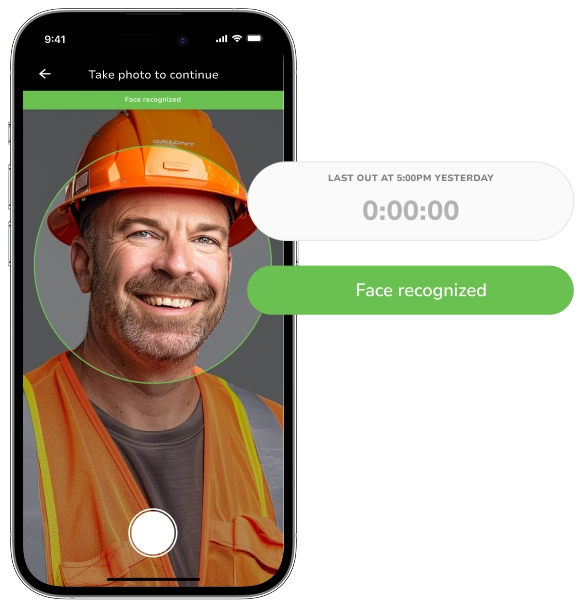
Geofence every job and only let crews clock in when they are inside the perimeter. No more guessing how long anyone was on which site.

Track crew hours accurately on-site and keep every project on schedule. GPS-verified clock-ins, payroll-ready timesheets, and real-time visibility across all your jobs.

Trusted by construction and industrial teams worldwide






Generic time trackers fall apart the moment a crew leaves the office. Jibble was built for the punch lists, the long days, and the patchy reception that come with the territory.
Geofence every job and only let crews clock in when they are inside the perimeter. No more guessing how long anyone was on which site.
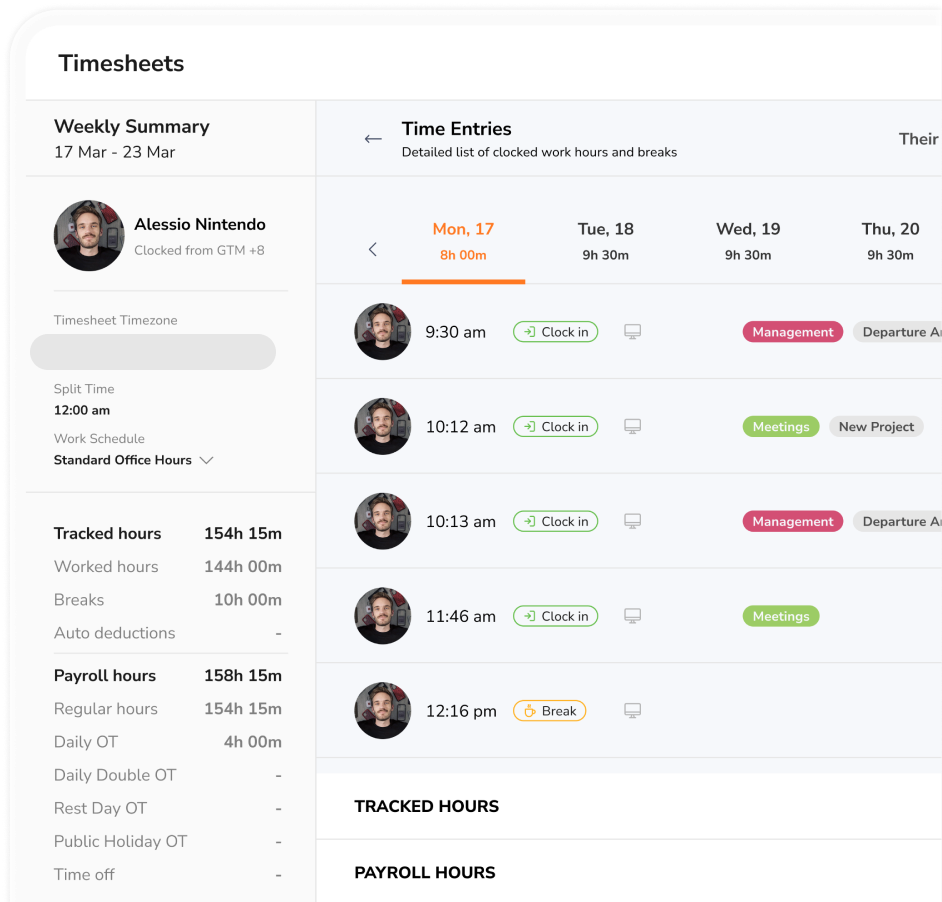
Regular hours, overtime, breaks, and paid leave are calculated automatically by the rules you set. Export to Excel or push straight to payroll.
Basements, tunnels, remote builds — Jibble keeps tracking time even without connectivity and syncs everything as soon as you're back online.
Jibble works two jobs at once: the foolproof clock-in your crew actually uses, and the audit-ready timesheet your office actually trusts.
Crews jibble in, the office gets the data. No more chasing for hours at the end of the week.
Hours, breaks, and OT are calculated automatically. Cut payroll prep from days to minutes.
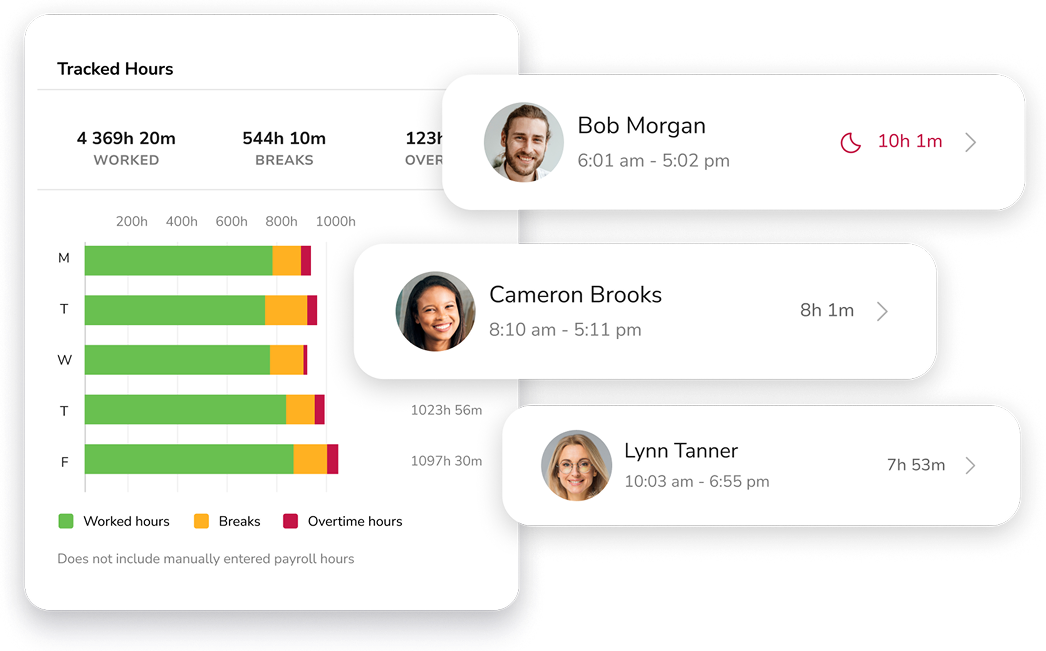
Clock-in locations, project hours, and charts that show exactly where the hours go.
Add a project, invite your foremen, and watch the clock-ins land in real time.
Here's how Jibble stacks up against generic tools when the workday happens on a jobsite.
| What construction teams need | Jibble | Generic time trackers | Paper / spreadsheets |
|---|---|---|---|
| GPS-verified clock-in | Included, free | Often paid add-on | No |
| Multi-site geofencing | Unlimited sites | Limited or paid | No |
| Face recognition | Built-in | Rare | No |
| Offline tracking | Auto-sync when back online | Patchy | No |
| Overtime & payroll rules | Customizable rules | Basic | Manual math |
| Unlimited users on the free plan | Yes — forever | Usually capped | Free, but error-prone |
A few of the thousands of 5-star reviews left by construction teams.
A very helpful time tracking tool for construction. Features such as face recognition and manual entries in timesheets are ideal for secure employee attendance.
Since we are in the construction business and mostly work in different site locations, Jibble's mobile time clock is very useful for tracking employees during off-site work.
Jibble's a construction site must-have. We will continue to use it as it is cost-effective for our construction company and fits in the budget of a family-owned business.
Jibble makes it very easy to track your time spent on different projects. It is also extremely easy to add new projects and activities. I like that there is also an app that can be used on your phone if you are on the move.
I can easily monitor daily activities with Jibble's time tracking. I can track remote workers' hours as well as overtime, and also set the calendar according to my region to assign holidays and weekends accordingly.
We had a new employee who we knew was fiddling with their timesheet, we just had paper copies previously. Jibble has eradicated that and is fair for all our employees, and also helps us to instantly see if anyone had forgotten to log in or out. Easy to use, simple for our employees.




If you don't see what you're looking for, our team replies in minutes.
A construction time tracking software is a tool that captures when crews start and stop work — by site, by project, or by activity. The software turns those punches into accurate payroll and client billing data. The good ones, like Jibble, are built for the way construction actually works: multiple sites, mobile teams, patchy connectivity.
There are roughly four ways construction teams can track time, in order of how much time they save:
Construction managers should look for four things in time tracking software, in order:
Jibble includes all four on the free plan.
The four benefits of a construction time tracking software that matter most are: accurate payroll and client billing, faster project management with live cost data, more transparency between crews and management, and the productivity gains that come from finally seeing exactly where hours are going.
Yes. The core product — unlimited users, GPS, face recognition, timesheets, reports — is free forever. Larger contractors sometimes upgrade for advanced approvals, integrations and analytics; most small to mid-size construction businesses never need to. See pricing plans.
Crews clock in from the jobsite, your office closes payroll, and you get your evenings back.